Features

What Pusthakam does today, part by part. Everything here is in the current version and covered by automated tests. Where something still needs testing with real equipment, it says so.

Catalogue

Describe each title once, with as much or as little detail as you have.

  • Records with title, edition, publisher, year, ISBN, language, pages, series, notes and abstract.
  • Authors and other contributors, subjects and keywords.
  • Search every title, author, subject, ISBN, accession number or barcode from one box, filter by collection or availability, and save searches you run often.
  • Book covers from your own image files, or looked up by ISBN from Open Library when the computer is online. A setting to turn online lookups off is planned.
  • Export selected records.
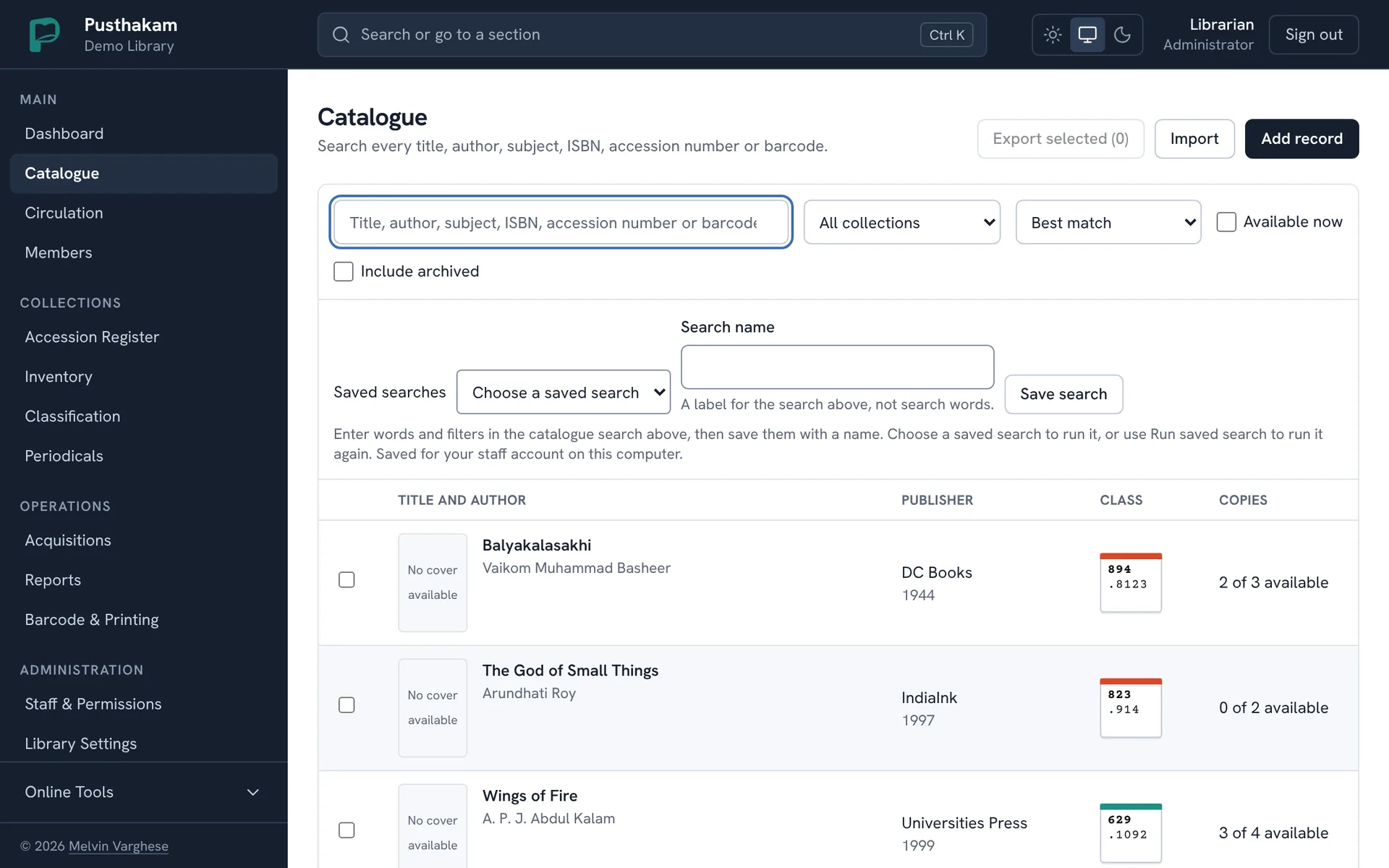
The Catalogue screen with ten books and their call-number labels.

Accession register

Every physical copy is its own record, even when you hold ten copies of one title.

  • Accession number, barcode, call number, collection, location and shelf for each copy.
  • Where each copy came from: purchase or donation, price, vendor and invoice.
  • Status: available, on loan, damaged, lost or withdrawn. Copies are archived, never deleted.

Circulation

Built around a USB barcode scanner, which types like a keyboard. Nothing to install or set up.

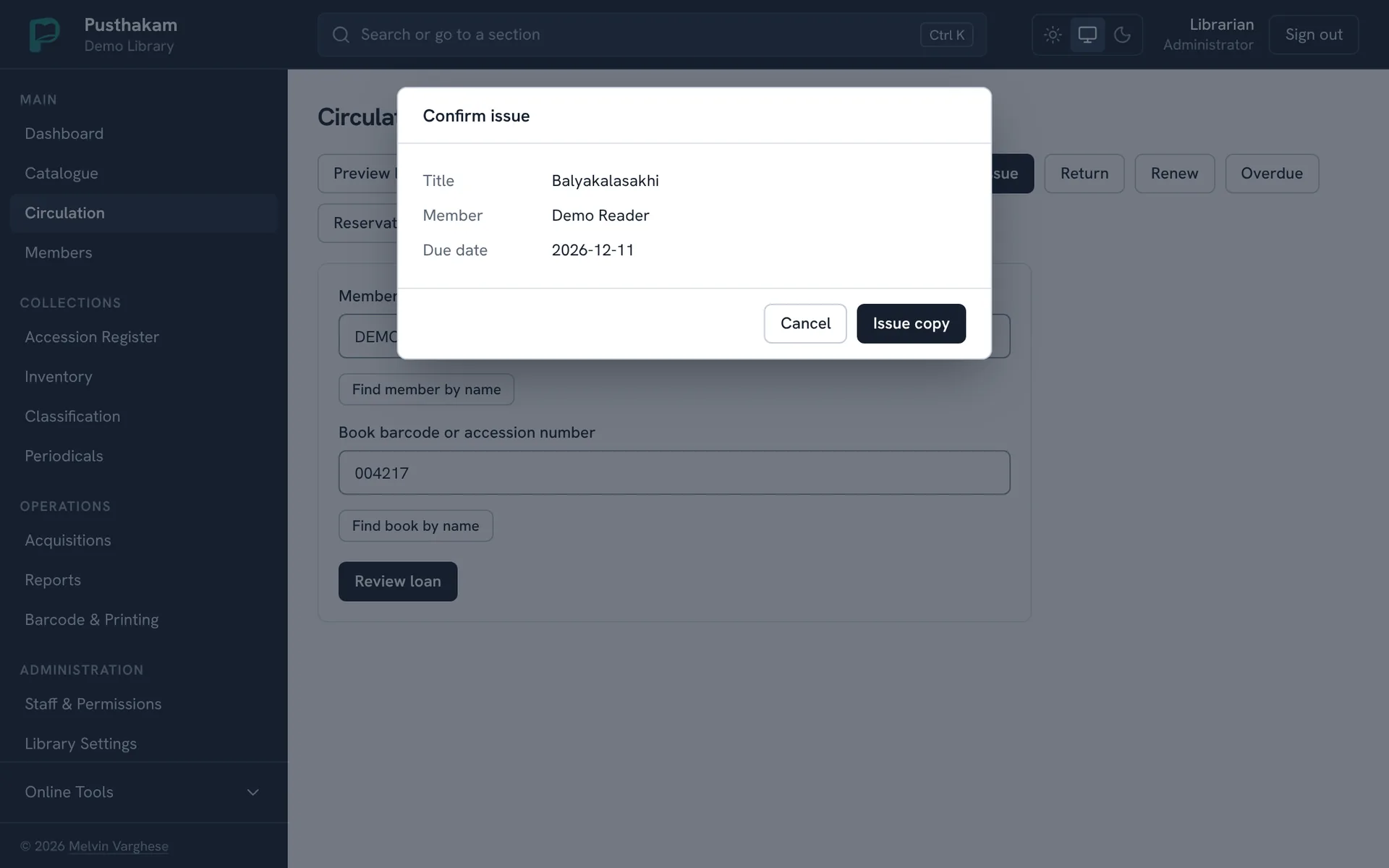
  • Issue, return and renew by member number and book barcode, with a check screen before anything is saved.
  • Loan rules by member category and item type: loan period, how many books, renewals and fines.
  • Library calendar: due dates that fall on a closed day or holiday move to the next open day.
  • Reservations, overdue lists, fines and payments, and printed due slips.
  • Bring loans with you: import current loans, loan history, renewals, reservations and fines from your old system.
Confirming a loan: title, member and due date.

Members

Register readers and find them quickly at the desk.

  • Member categories such as student, teacher or staff, each with its own loan rules.
  • Photos and printable member cards.
  • Import members from a Koha patron export.

Classification

Use the scheme your library already uses.

  • Dewey Decimal, UDC, Library of Congress, or a scheme of your own.
  • On screen, every call number appears as a spine label with a colour band for its main class, so you can tell subjects apart at a glance.

Inventory

Stock checks without a printed list and a pencil.

  • Scan the books on the shelves, then see which copies were found, which are missing and which turned up somewhere unexpected.

Periodicals

For journals, magazines and newspapers.

  • Subscriptions, expected issues and issues received.

Acquisitions

From a request for a new book to the copy on the shelf.

  • Purchase requests and approvals, vendors, orders and invoices.
  • Receiving an order creates the catalogue records and copies.

Reports and printing

Numbers you can take to a meeting, and labels you can stick on a book.

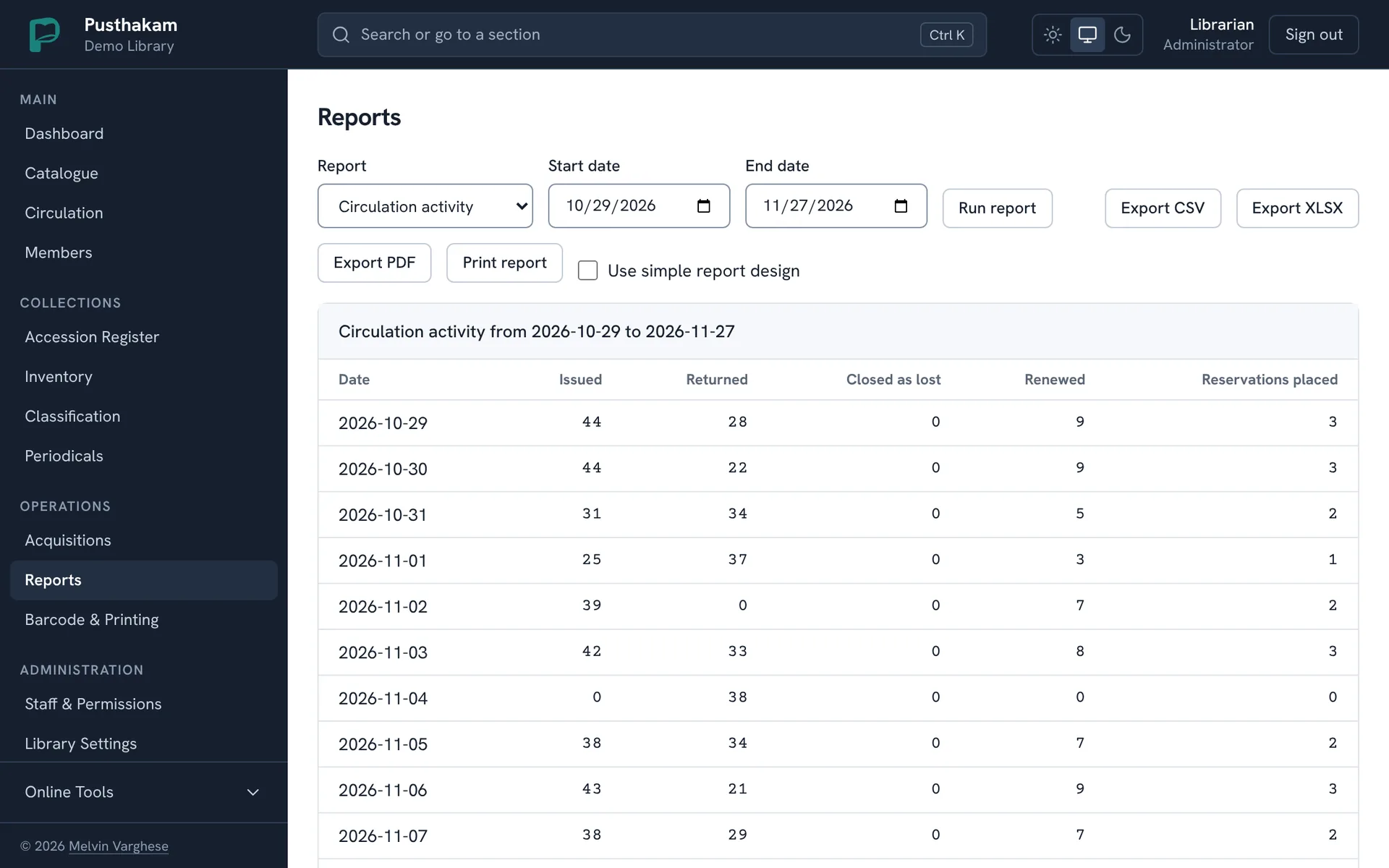
  • Circulation activity, popular titles, stock by location, members, fines, overdue loans, new accessions, spending, and loss and damage.
  • Export to CSV, Excel or PDF, or print. A simpler design is available for plain printers.
  • Barcode labels, spine labels, member cards and loan due slips. Testing with real label printers and label sheets is still in progress.
The Reports screen showing circulation activity by day, with Export CSV, XLSX and PDF buttons.

Wi-Fi sharing

Use one library computer as the host for the rest of the building.

  • Public catalogue: readers search on their own phones and see availability and location. No member or staff details are ever shown.
  • Staff in the browser: staff sign in from a tablet or another computer, with the same permissions as on the desk.
  • Works on your local network with no internet. The host computer must stay on. Testing on many phone models is still in progress.

Administration and safety

Protect years of work.

  • Staff accounts and roles, with passwords stored securely and an account recovery code.
  • Backups made with SQLite's own backup method and checked after saving. Copy them to another drive. A safety copy is taken before every restore.
  • Audit log: a permanent, searchable record of staff and system events.
  • Library settings: library profile, collections, locations, shelves, member categories, loan rules and the calendar.

Screenshots use made-up sample data.